The physical lay out and connectivity:
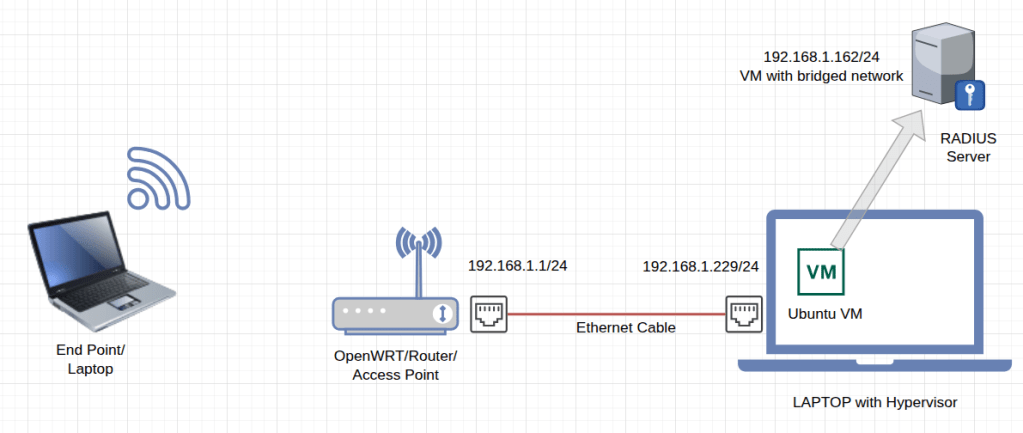
Arranging the network devices:
- I am using a DaloRadius server VM that is hosted on my Ubuntu laptop.
- The Git HUB web page has link to the instillation guide of Dalo radius: https://github.com/lirantal/daloradius
- The Writable image for openWRT is available at : https://firmware-selector.openwrt.org/
- Using a USB memory SD card reader, flash the openWrt image in the raspberry PI, however you can use any access point or home WiFi router that supports WPA3/Enterprise or openWrt with upgrade of wpad-openssl package.
- Connect access point or the WiFi router to the laptop to access its management console
Accessing WiFi router and enabling SSID:
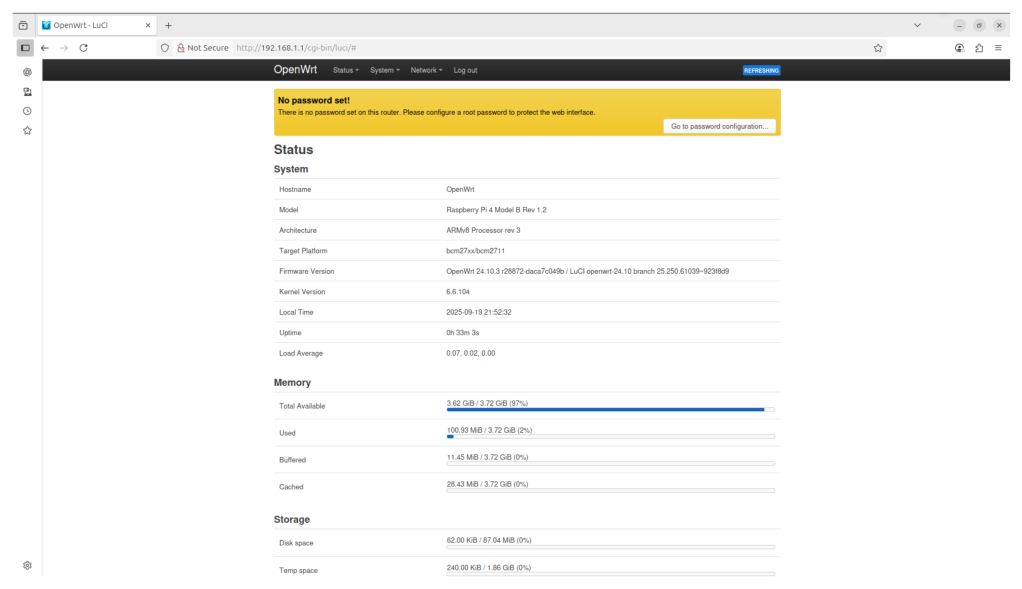
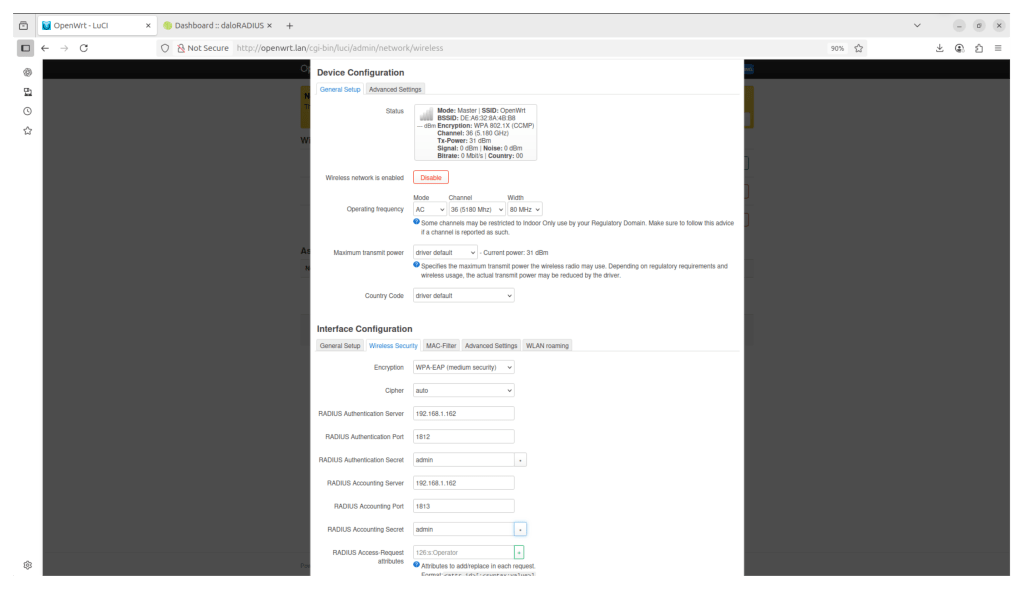
Under networks>wireless we can find SSID and we can rename/create or enable it:
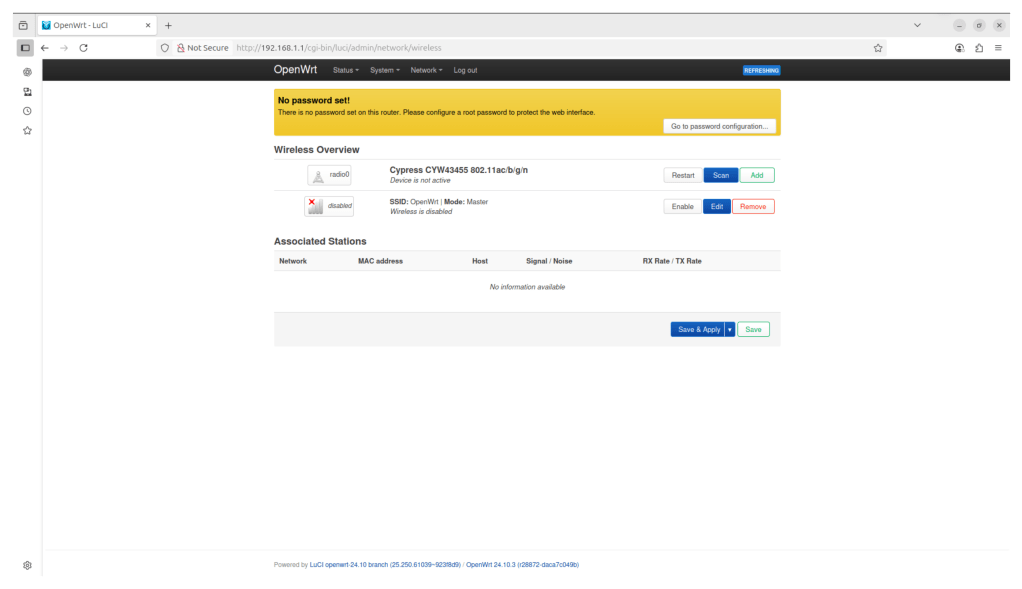
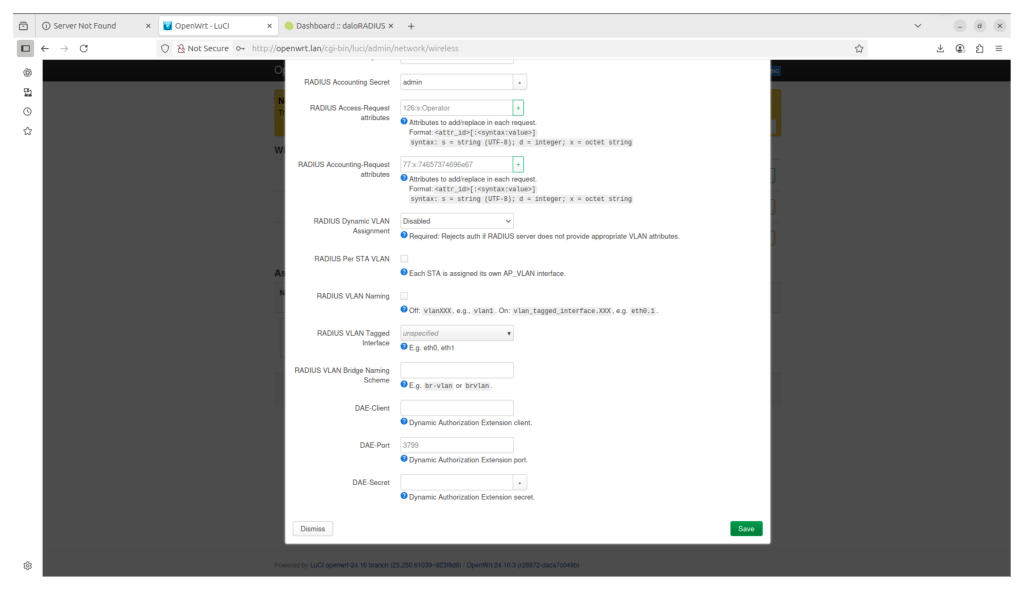
Clicking on edit and under wireless security tab
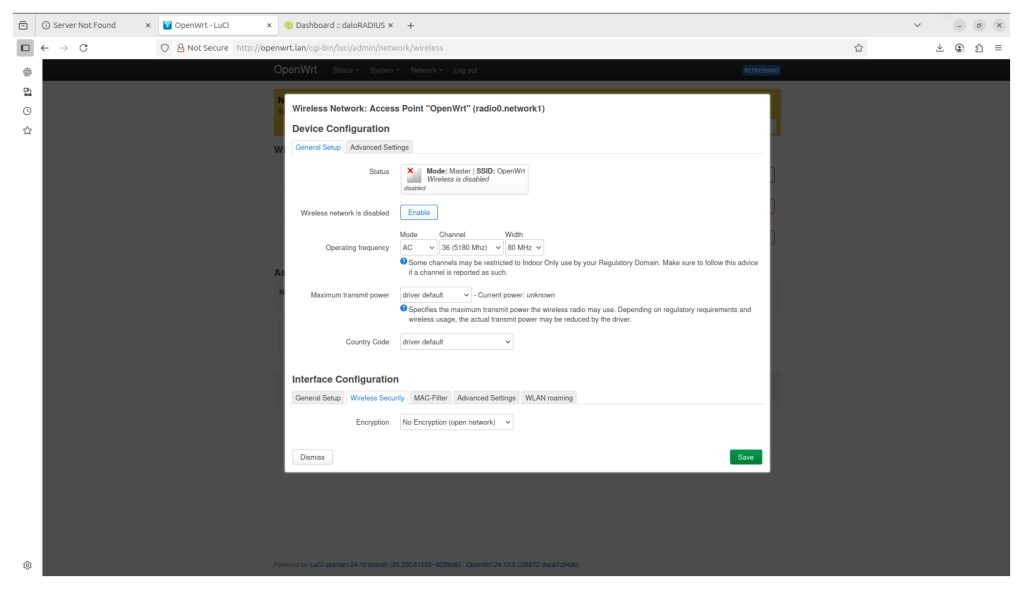
Clicking on edit and under security tab, here we have to provide RADIUS server IP and Authentication and Accounting port numbers, and the pre shared key
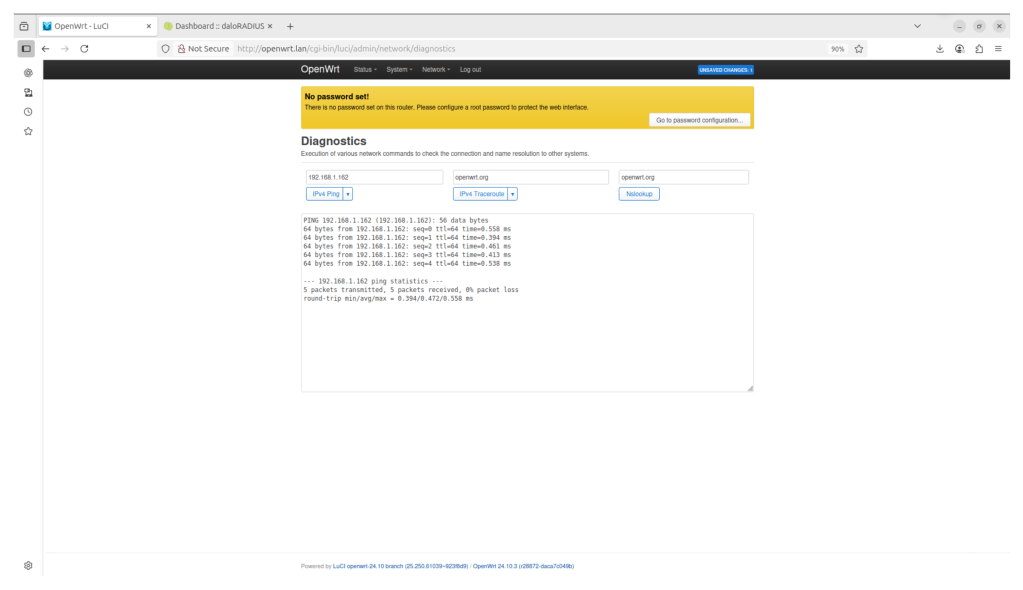
Check and ensure RADIUS server reachability under Networks>Diagnostics
Create user ID and password in radius server
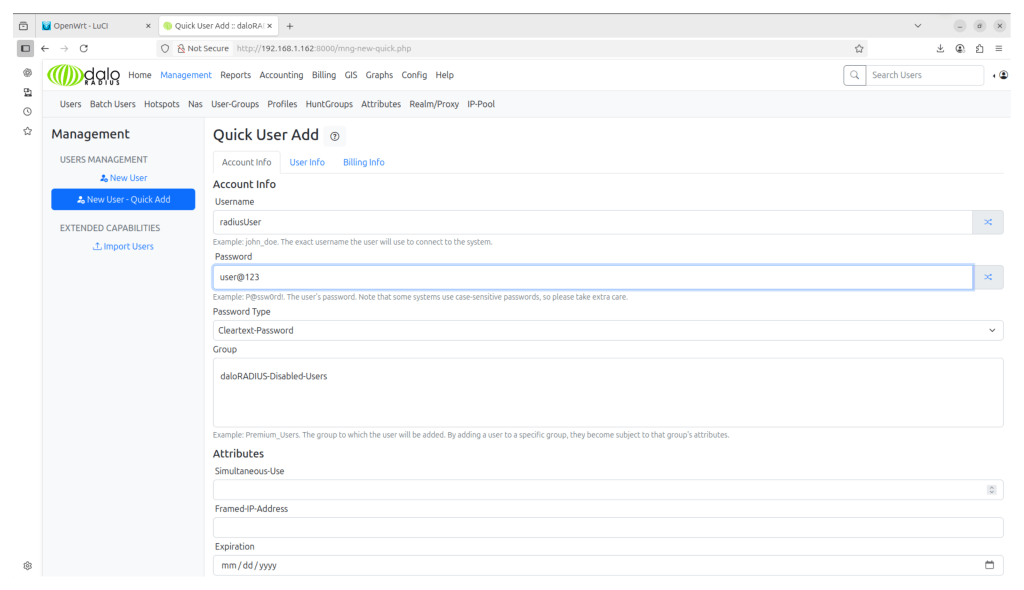
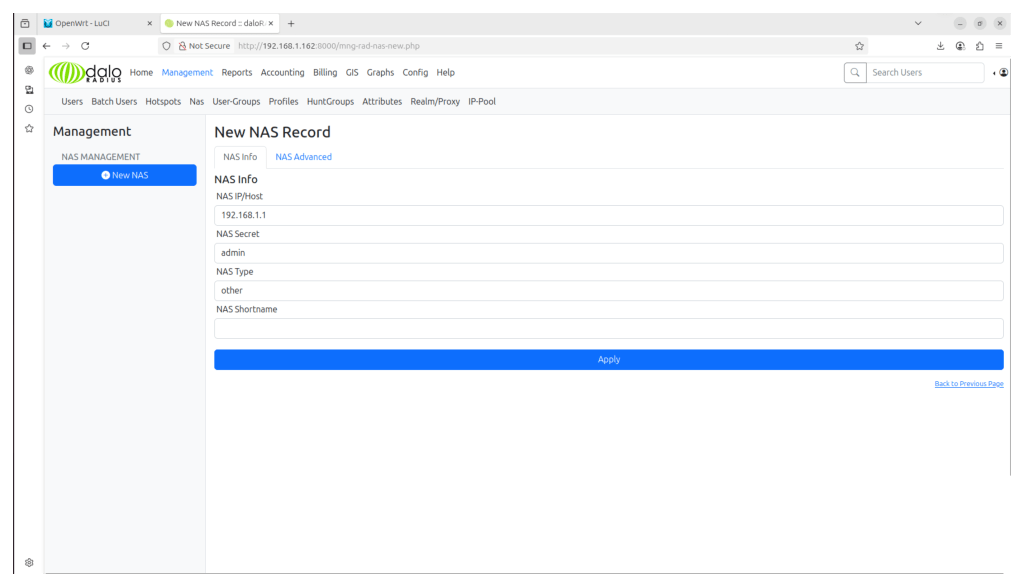
The IP address of the wifi router should be given as NAS-network access server and same preshared key should be provided
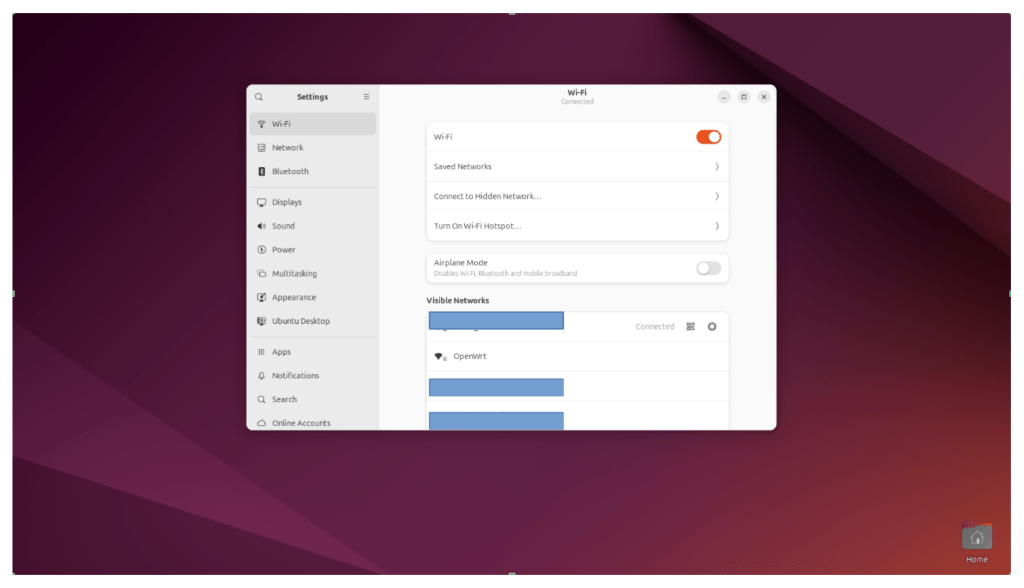
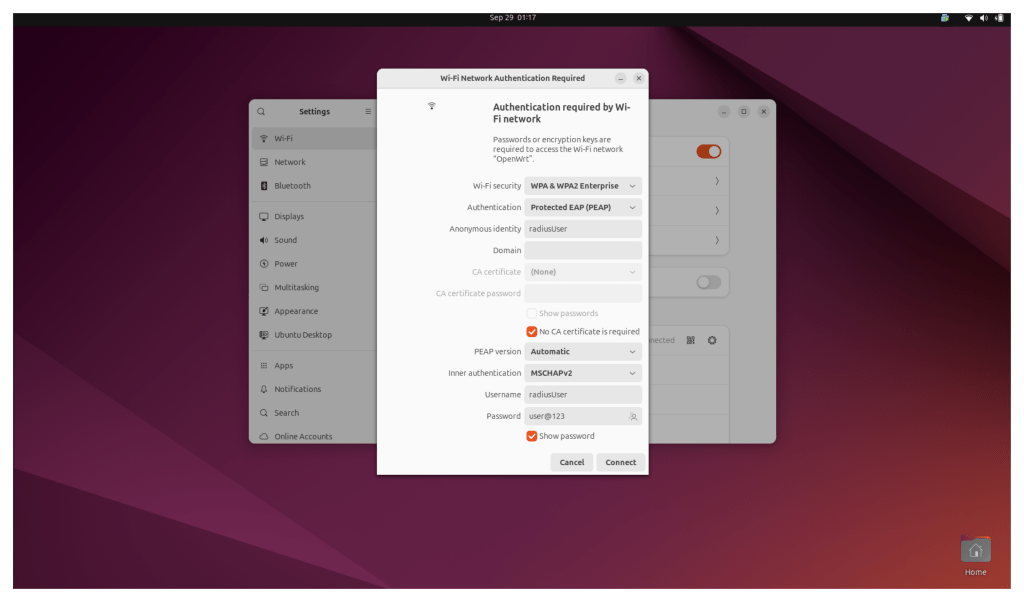
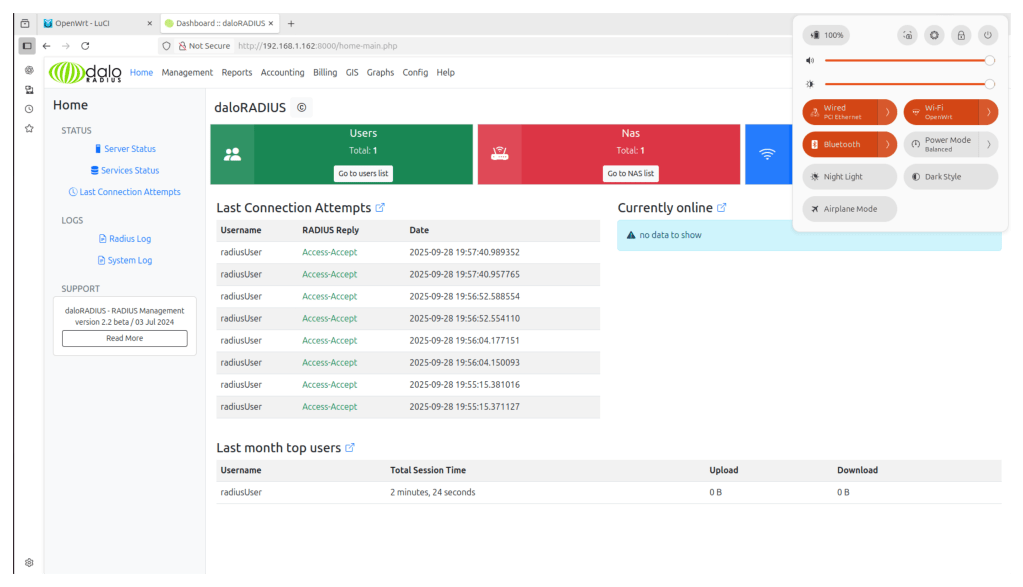
The End point is Supplicant, WIFI router act as authenticator and RADIUS is the Authentication server.
 Network Implementation In Shorts